
In the UAE, road fines are common and usually easy to pay online through platforms like RTA, MOI, or police apps. However, sometimes you may come across something called a non-payable fine. Many drivers find this confusing and stressful, especially if they need to renew their vehicle registration or rent a car.
What is a Non-Payable Fine Or Black Points?
A non-payable fine or black point is a traffic fine that cannot be settled directly online or through self-service platforms. Instead, you need to clear it through specific government departments because of additional procedures or approvals required.
Why Do Non-Payable Fines Or Black Points Happen?
Non-payable fines Or Black Points usually occur in these cases:
• Serious traffic violations (such as reckless driving, excessive speeding, or driving under the influence).
• Pending investigations where authorities need to verify the violation.
• Vehicle-related violations involving black points or confiscation.
• Technical issues in the system requiring manual clearance.
To pay this fine we need to transfer black point to customer traffic profile.
How To Transfer Black Point To Customer Traffic Profile
Visit MOI Website: www.moi.gov.ae
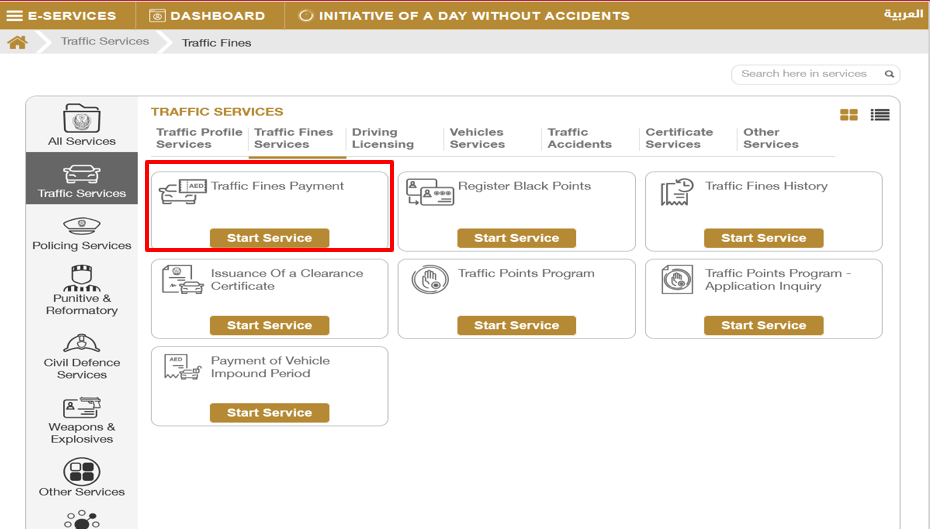
Click in Traffic Fines Payment
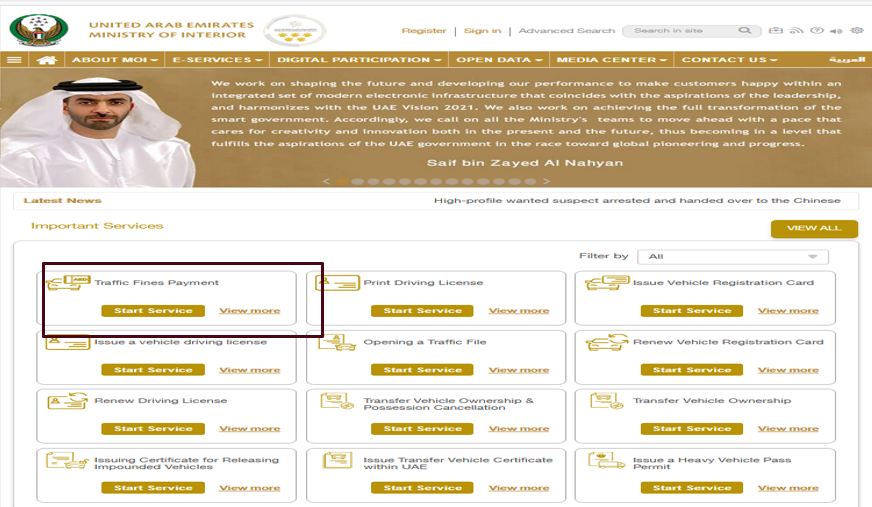
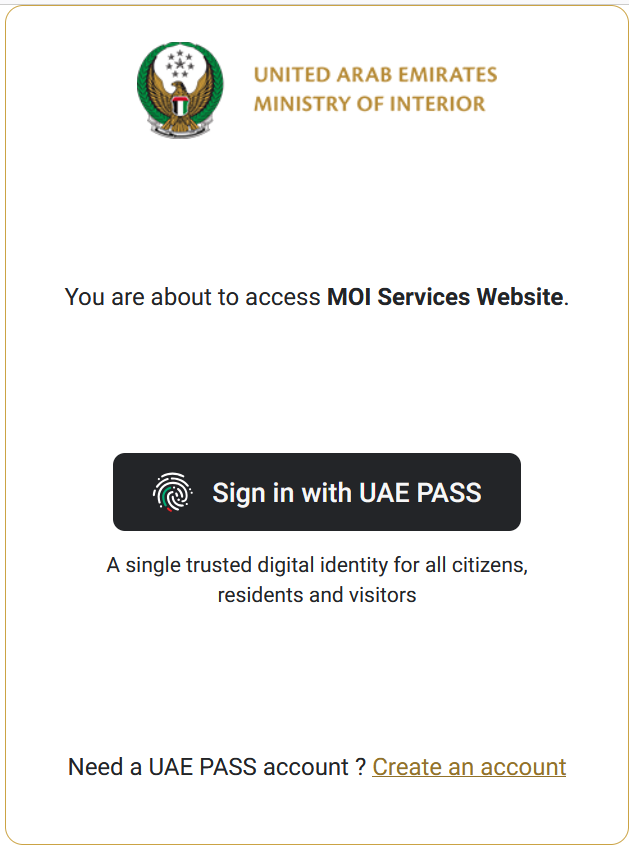
Sign In With Customer UAE Pass
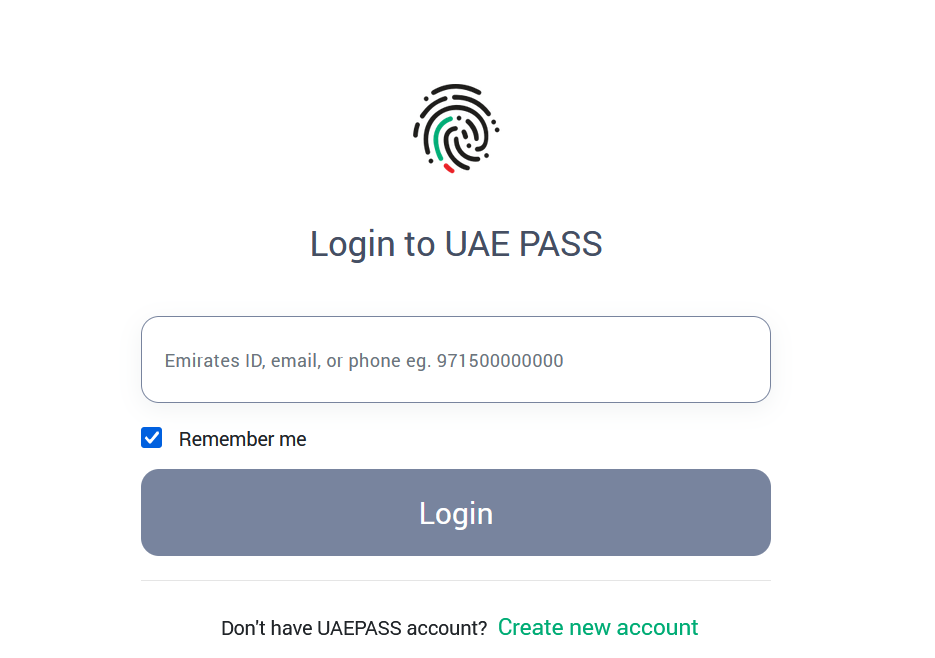
Enter Customer EID/Phone Number/Mail ID Linked In UAE Pass
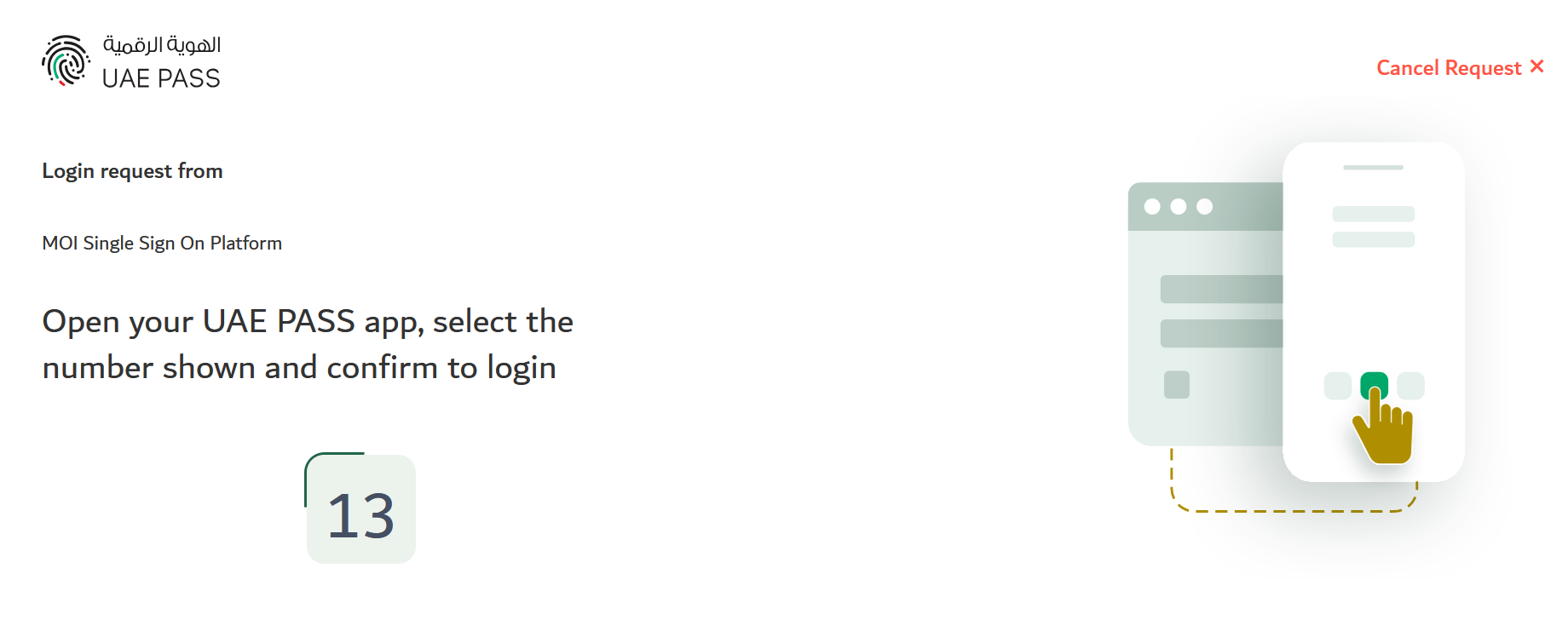
Confirm the UAE Pass Access Number
Click Traffic Fines Payment
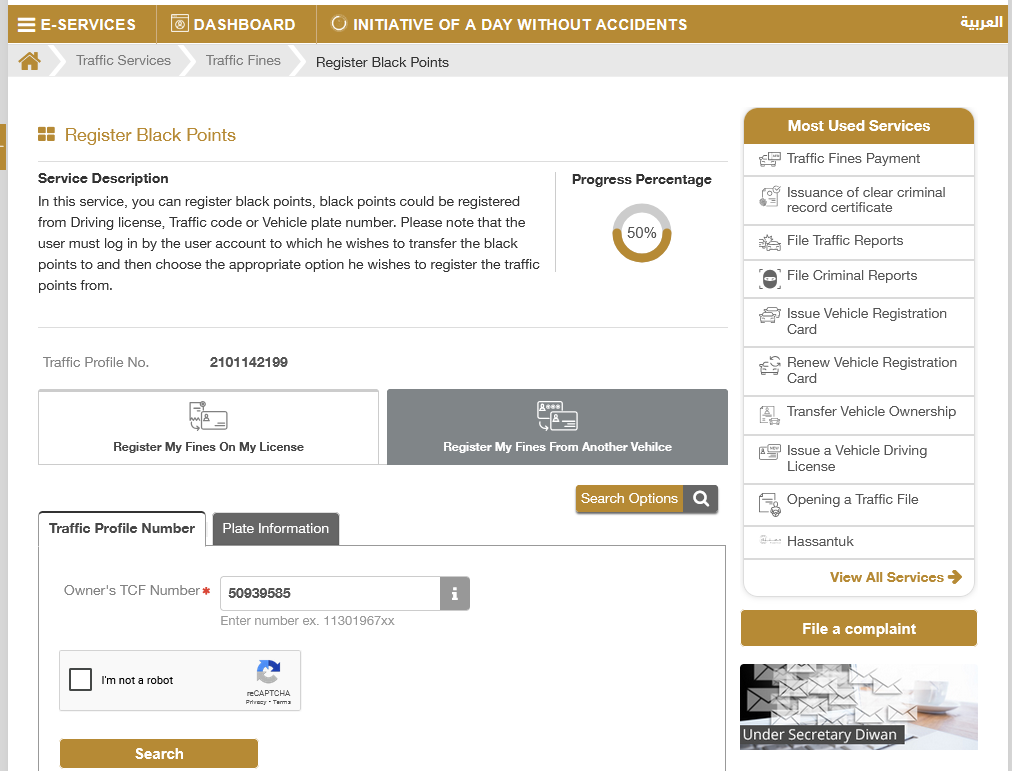
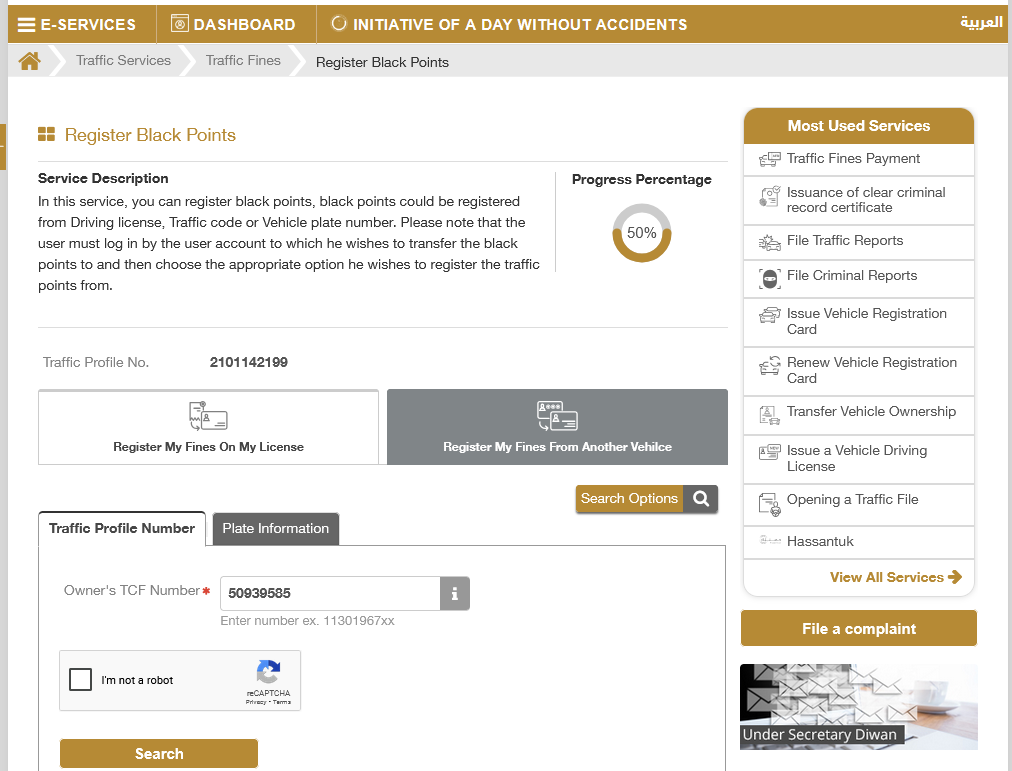
Click Register My Fines From Another Vehicle Or Register My Fine On My License
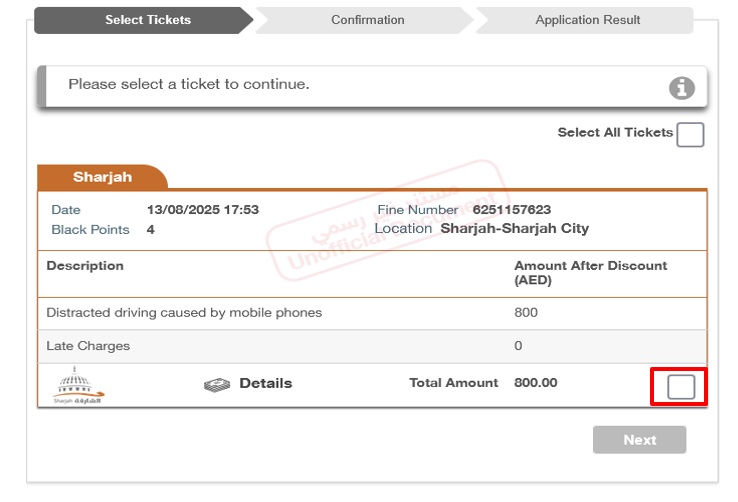
Fine Will Show Here-Click The Box
If Customer Traffic Profile Is Incomplete, Need to Update it- To Update Click On Here
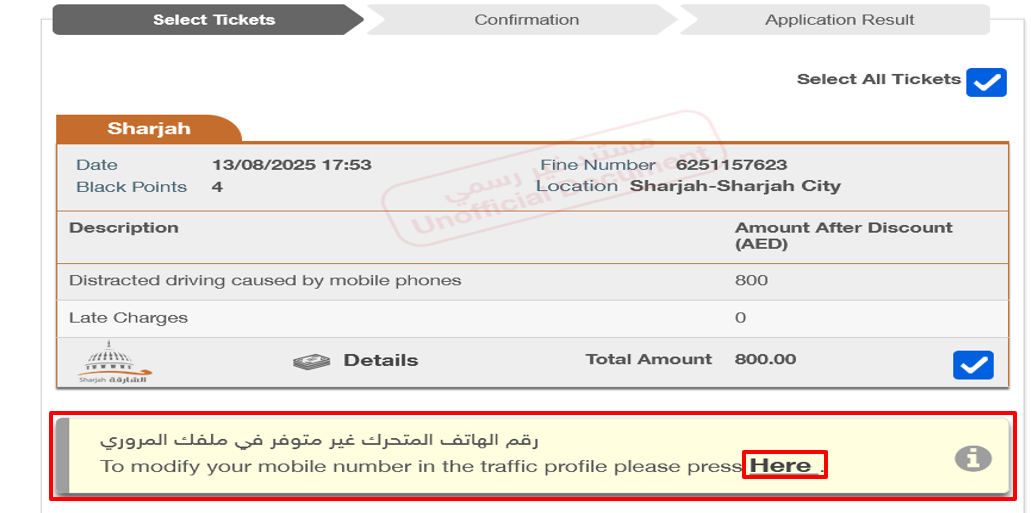
Update All Stared Details
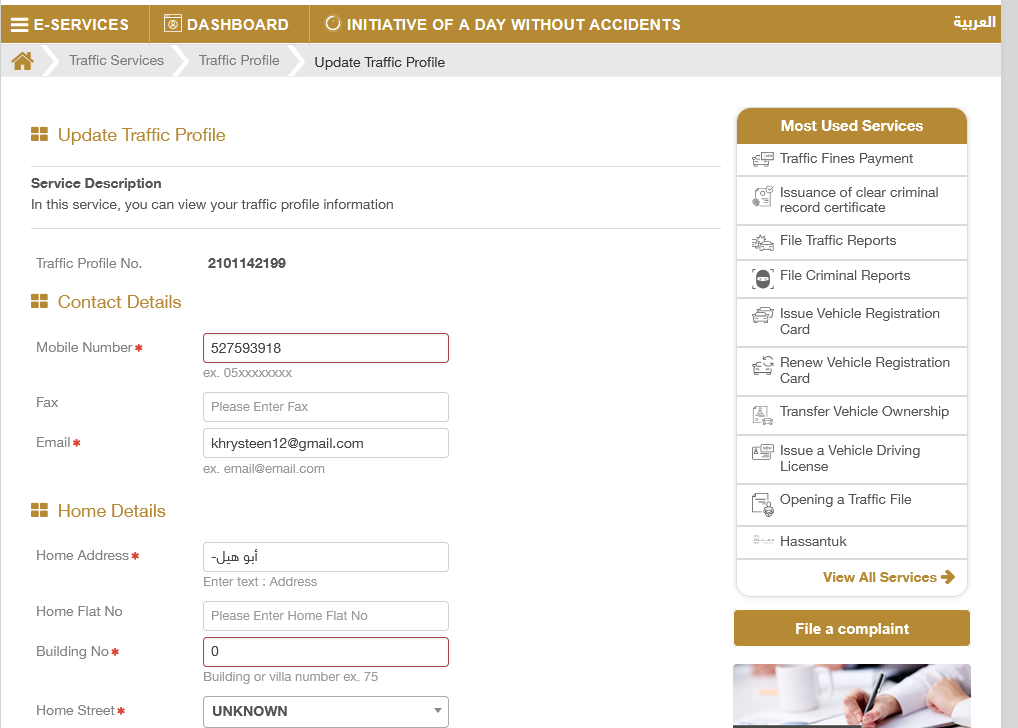
Updated The Trafic Profile
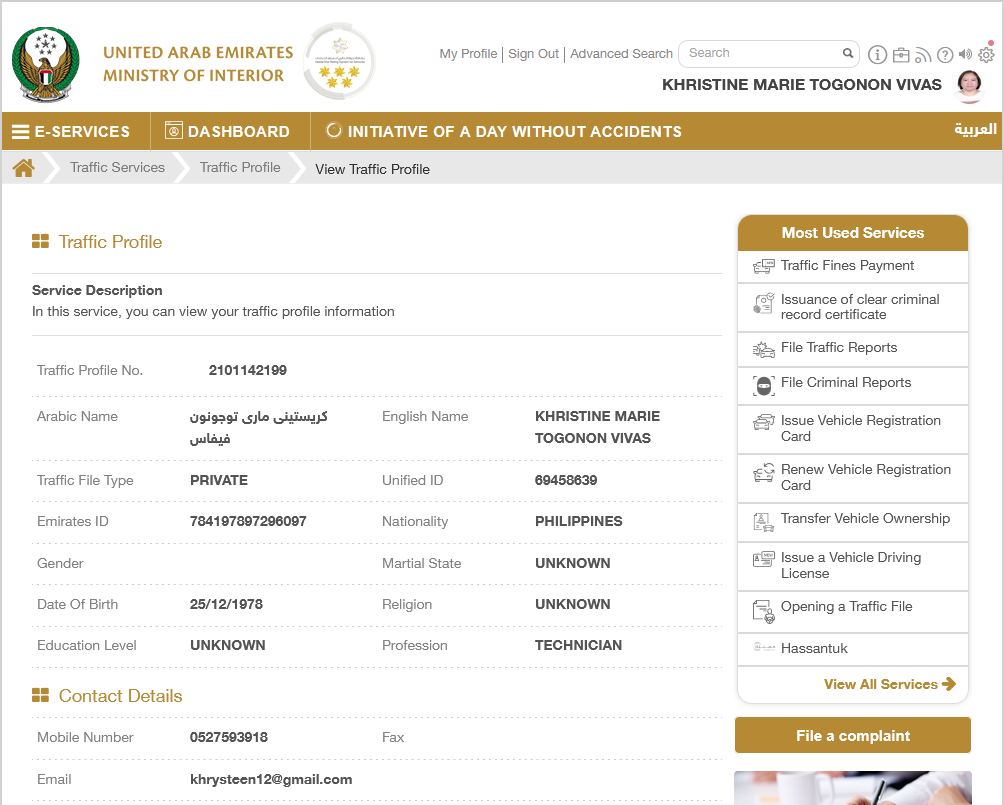
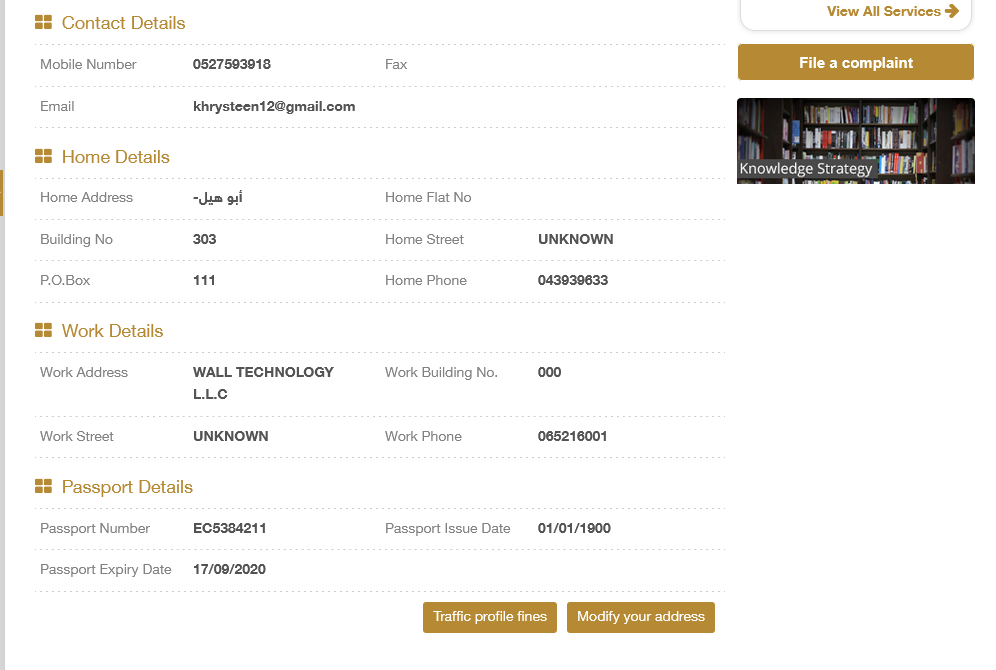
E Services-Register Black Points
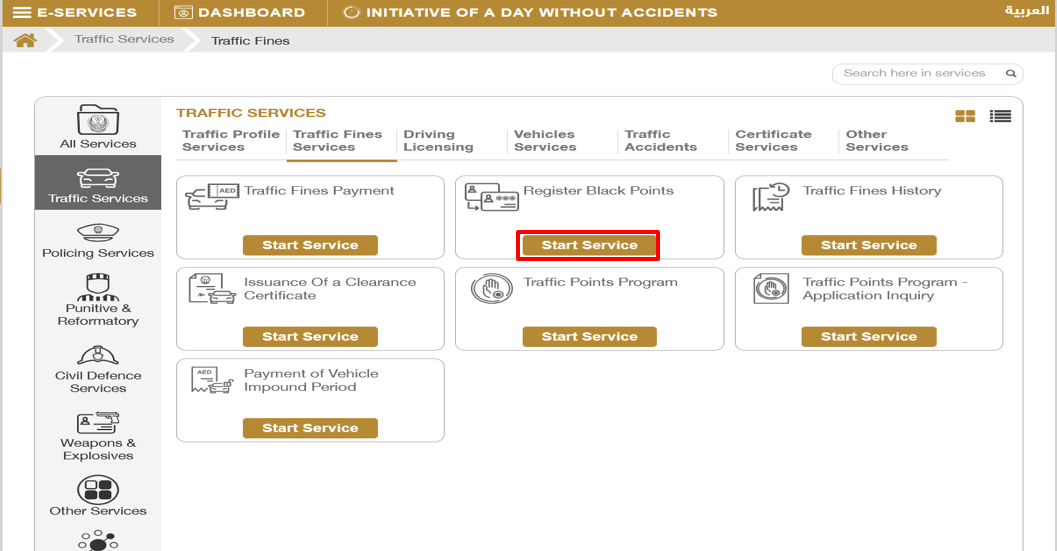
Click Register My Fines From Another Vehicle Or Register My Fines On My License
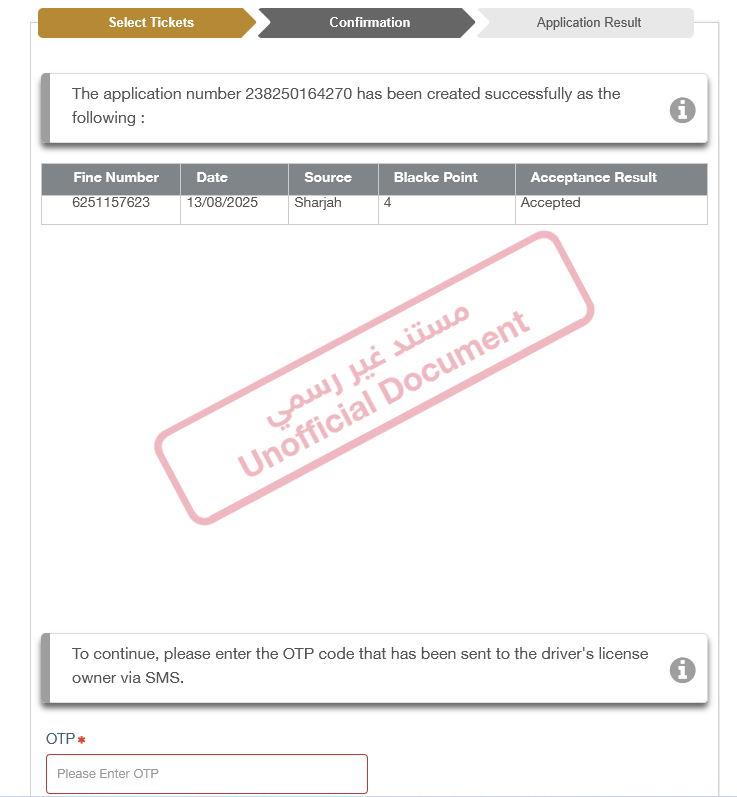
Enter The OTP Recieved In Customer Number
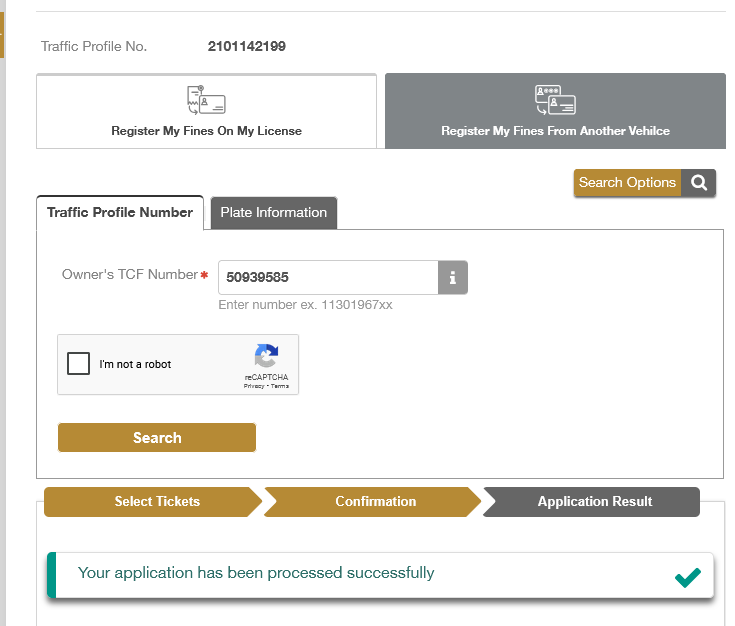
After Registering Of Balck Points In Customer Profile, The Fine will Be Shown As Payable In RTA Website.
If you notice anything wrong with this blog, just drop us an email at support@ride.rent — we’ll take care of it right away!